Bear and Mountain Landscape Digital Art Guide
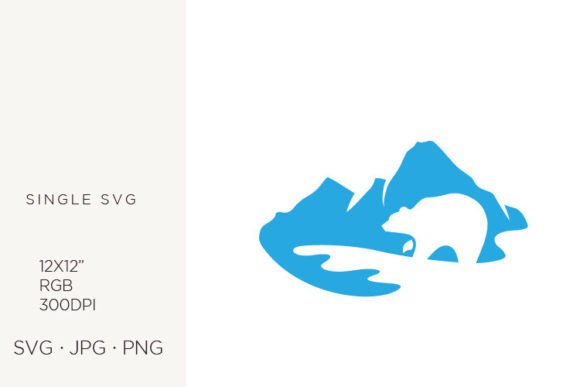
Visual storytelling has become a cornerstone of modern branding and personal expression. Whether you are launching a new outdoor gear company, designing invitations for a rustic wedding, or simply looking to add a touch of wilderness to your home decor, the right imagery can set the perfect tone. The Bear and Mountain Landscape digital graphic offers a versatile solution for creators who need high-quality, adaptable artwork without the steep learning curve of drawing from scratch. This asset is not just a picture; it is a foundational tool designed to streamline your creative workflow while maintaining professional standards.
Understanding the Value of Vector-Based Nature Graphics
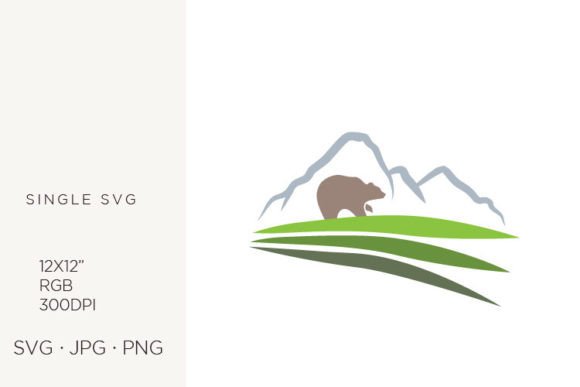
At its core, this digital element combines two powerful symbols of nature: the resilience of the bear and the grandeur of mountain peaks. For designers and hobbyists alike, using pre-made graphics saves hours of work. However, not all digital files are created equal. The true value of this specific Bear and Mountain Landscape lies in its technical construction. Created in Adobe Illustrator, the source file is vector-based. This means the image is built using mathematical paths rather than pixels, allowing it to be scaled up or down infinitely without losing clarity or becoming pixelated.
When you download this package, you are receiving a comprehensive suite of file formats tailored for different needs. The inclusion of an SVG (Scalable Vector Graphics) file is particularly important for those using cutting machines like Cricut or Silhouette, as well as web developers who need crisp icons that load quickly. Alongside the vector file, you receive high-resolution JPG and PNG files at 300 DPI. The 300 DPI resolution is the industry standard for printing, ensuring that whether you are printing a small business card or a large poster, the edges remain sharp and the colors vibrant. The transparent background on the PNG file allows for seamless layering over other designs, textures, or photos without awkward white boxes surrounding the image.
Practical Applications for Creators and Businesses
The versatility of this 12x12 inch artboard design opens up a myriad of possibilities across various industries and hobbies. Here is how different users can leverage this asset effectively:
- Logo Design and Branding: For businesses in the camping, hiking, or conservation sectors, this graphic serves as an excellent starting point for a logo. The clean lines and classic composition convey trust and adventure. You can easily adjust the colors in Illustrator to match your brand palette before finalizing your identity.
- Printed Paper Items and Stationery: If you run a shop selling journals, planners, or notebooks, this landscape fits perfectly on covers. The 12x12 inch size is ideal for square-format products. It also works beautifully for letterheads and thank-you cards, adding a professional yet approachable aesthetic to your correspondence.
- Event Decor and Invitations: Planning a baby shower, birthday party, or wedding with a woodland theme? This graphic can be incorporated into invitation cards, announcements, and even party decor items like banners or cupcake toppers. The neutral and natural tones typically associated with mountain landscapes blend well with earthy color schemes.
- Handmade Crafts and Wall Art: DIY enthusiasts can use the SVG file to cut vinyl decals for mugs, tumblers, or tote bags. Alternatively, print the high-resolution JPG on canvas or premium photo paper to create instant wall art for cabins, offices, or living rooms. The detailed rendering ensures that the final physical product looks polished and intentional.
- Web and Graphic Design: Web designers can utilize the SVG for responsive website elements that look sharp on both mobile phones and desktop monitors. Bloggers can use the PNG with a transparent background as a header image or within blog posts to break up text and enhance visual appeal.
Technical Considerations for Best Results
To get the most out of your Bear and Mountain Landscape files, it is helpful to understand a few technical details. The files are provided in the RGB color palette, which is optimized for digital screens. If you are designing for web use, social media, or digital invitations, RGB will ensure your colors appear bright and accurate. However, if you are sending your design to a professional printer for large-scale production, you may need to convert the colors to CMYK. Most modern printers handle RGB files well, but checking with your specific print provider is always a wise step to avoid color shifts.
The 12x12 inch artboard size is a standard dimension in the crafting world, making it compatible with most consumer-grade cutting machines and scrapbooking supplies. When using the SVG file, remember that vectors are editable. You can ungroup the elements in Adobe Illustrator or compatible software to move the bear, change the mountain shapes, or alter the color of individual components. This level of customization allows you to make the design truly unique to your project.
Why Choose Pre-Made Professional Assets?
Creating original vector art from scratch requires significant time, skill, and expensive software licenses. By utilizing a professionally crafted asset like this, you bypass the initial hurdle of design creation. This is particularly beneficial for small business owners and entrepreneurs who need to wear many hats. Instead of spending days learning how to draw a realistic bear or compose a balanced landscape, you can focus on your core business activities—marketing, customer service, and product development.
Moreover, using high-quality base materials elevates the perceived value of your end products. A blurry or poorly composed image can detract from even the best handmade craft. In contrast, a crisp, well-designed graphic signals quality and attention to detail. This subtle cue can influence purchasing decisions, especially in competitive markets like Etsy or local craft fairs.
Getting Started with Your Design Project
If you are new to working with digital graphics, start by organizing your files. Keep the ZIP file archived as a backup, and extract the contents to a dedicated folder for your project. Open the PNG file first to see the final look. If you need to place the image over a colored background, use the PNG with the transparent background. For editing shapes or colors, open the SVG or AI-compatible file in your preferred vector editor.
Experiment with layering. Try placing the Bear and Mountain Landscape over a textured paper background or a gradient sky. Play with opacity settings to create a watermark effect for stationery. The key is to treat the graphic as a flexible component rather than a rigid image. With the right approach, this single digital asset can support a wide range of creative endeavors, from professional branding to personal keepsakes.
Ultimately, the goal is to create something that resonates with your audience or brings joy to your space. By leveraging the technical quality and artistic appeal of this digital download, you equip yourself with the tools needed to produce standout visuals efficiently and effectively.